Zoom

The zoom effect allows us to zoom in or out on objects or elements in a creative piece.

Normally, this effect is worked with a minimum sequence of three frames, but in the examples we show, some of the elements were worked with only two frames.

This effect usually complements the rest of the creative. It is common to add a zoom effect to one of the elements that make up a 3D image or a change of image in general.

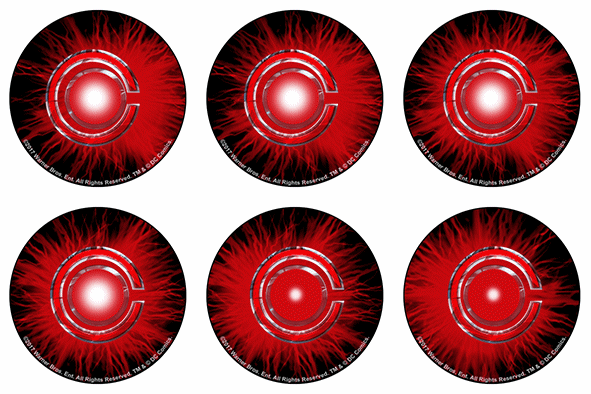
As can be seen in these two examples, the zoom effect is part of a 3D scene and image change. This type of creative is known as a combination of lenticular effects.

To create the zoom effect, you need a background and a sequence of frames that show the evolution of the zoom in/zoom out of the element to which you want to apply it. It is a simple effect to achieve and has a very striking result for the viewer.

Zoom

The zoom effect allows us to zoom in or out on objects or elements in a creative piece.

Normally, this effect is worked with a minimum sequence of three frames, but in the examples we show, some of the elements were worked with only two frames.

This effect usually complements the rest of the creative piece. It is common to add a zoom effect to one of the elements that make up a 3D image or an image change in general.

As can be seen in these two examples, the zoom effect is part of a 3D scene and image change.

This type of creativity is known as a combination of lenticular effects.

To create the zoom effect, you need a background and a sequence of frames that show the evolution of the approach/recession of the element to which you want to apply it. It is a simple effect to achieve and has a very striking result for the viewer.
The zoom effect can be used as an attention-grabbing element within a setting featuring various lenticular effects.

Other effects that may interest you...